PaperStream NX Manager. Enhanced security and protection across your business
Simple to manage, easy to use, the PaperStream NX Solution is the complete flexible scanning solution that brings enhanced security and greater protection to document management, ensuring superior governance of information – and greater peace of mind.
Combining the the fi-7300NX scanner and server-based PaperStream software, the PaperStream NX Solution is ideal for organisations that can run, manage, and configure a server, but who don’t want to develop integrations. It has the flexibility to grow as business grows, offering seamless integrations and multiple points of connectivity – ensuring continuous adaptability and value for money.
Features Summary

Minimise risk and increase the level of business security
Access authentication
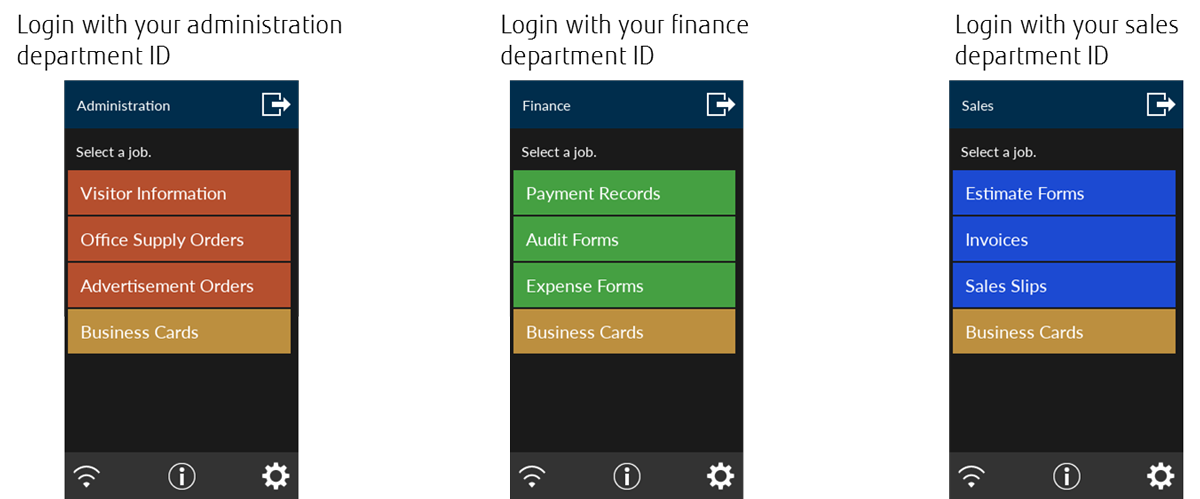
User authentication ensures jobs can only be accessed by those with the right profiles, and scans can only be sent to authorised locations.
Data encryption
Encryption of data helps to prevent data leakage and enhance security
Assured availability
Use of a failover server assures service availability
Intelligent Sonic Paper Protection
A feature of fi-7300NX scanners, prevents document damage
Image optimisation
The embedded PaperStream IP image optimization engine consistently delivers exceptional quality images, minimising OCR errors
Increase control and governance for greater peace of mind
Centralised control
Offers the ability to oversee and manage scanners and workloads across multiple locations
NFC/PIN/password security
As well as managing user access, this also restricts job menu options to those relevant to each specific user
Leverage Active Directory
Leveraging Microsoft Active Directory enables management of users, usage, and permissions with minimum maintenance
Remote management
Makes it easy to monitor and maintain an entire fleet of scanners
Usage measurements
Allows system administrators to better understand and oversee scanner activity

Unlock efficiencies and boost productivity
With organisations constantly needing to deliver more with less, the PaperStream NX Solution helps organisations on the path to greater efficiency, speeding up processes and automating workflows – giving more time to direct energy and focus where it really matters.
PC-free scanning
Reduces time spent scanning between locations and supports “thin client” strategy
Preconfigured job-buttons
So operators don’t have to set up tasks individually
Base version connectors
Allow easy integration with your own solutions and applications
Automation of the capture process
Brings speed and consistency with minimal effort
Rich software ecosystem
Integrating the PaperStream NX Solution with one of our Partnerecosystem solutions offers countless functionality possibilities
Automatic Profile Selection
Automatically applies the correct scan settings for each document, reducing operator input and eliminating profile‑selection errors
Quick to deploy and easy to use
It’s important to be able to get up and running quickly. That’s why the PaperStream NX Solution is ready for implementation by your IT team ‘out of the box’. Simple to understand and intuitive to use, the PaperStream NX Solution champions better user experiences and integrates seamlessly with existing solutions and applications.
Fast and easy set up
Requiring only standard IT department skills
Prebuilt connectors
For ‘out of the box’ integration without development
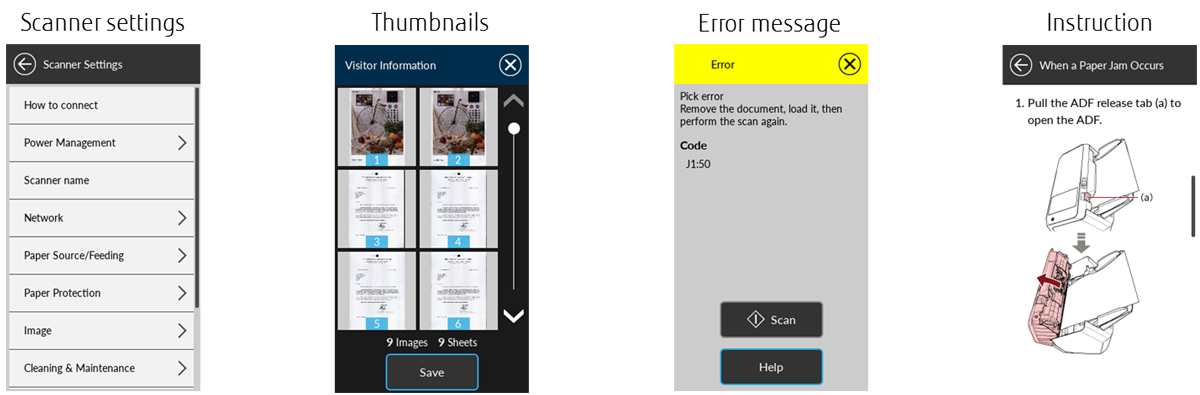
Colour touch screen
The fi-7300NX’s colour touch screen means minimal operator training and a more intuitive user experience
Simplified processes
Enable easier and more intuitive user journeys
Flexible and scalable
As it is server-based, the PaperStream NX Solution is also extremely flexible and scalable, ensuring easy adaptability as needs grow and change.